
As an Amazon Associate I earn from qualifying purchases. If you buy through links in this article, we may earn a commission at no extra cost to you.
These are the 10 best LGA 1700 motherboards for Intel 12th, 13th and 14th Gen builds, from a budget H610 board to flagship Z790 models. Choosing is tricky because the socket spans three chipset tiers, two memory standards and three form factors, and the wrong pick can bottleneck a fast CPU. This shortlist sorts the trade-offs for gamers, creators, small-form-factor builders and anyone upgrading on a budget. If gaming comes first, see our guide to the best motherboards for gaming once you have compared the picks below.
Short on time?
Start with these three picks
Three starting points cover most builds: one balanced flagship-grade board, one DDR4 value pick that reuses existing memory, and one mini-ITX board for compact cases.
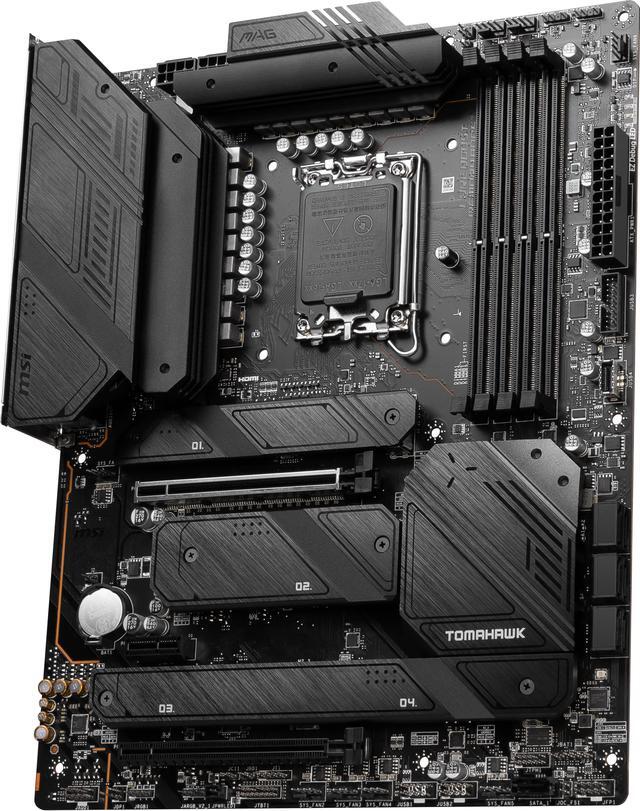
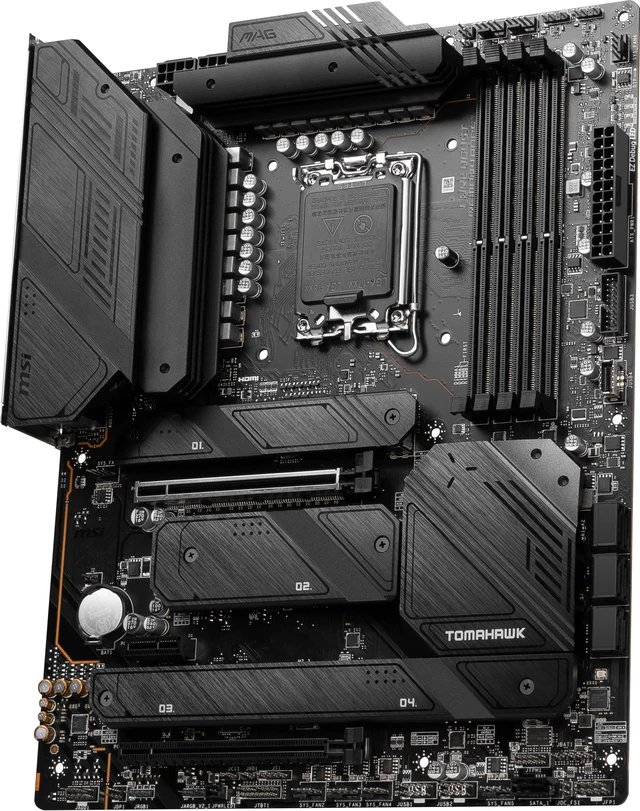
MSI MAG Z790 Tomahawk WiFi
A flagship-grade Z790 all-rounder with 16+1+1 phase power, four M.2 slots and WiFi 6E. The trade-off: it is DDR5 only, so budget for new memory.
View on Amazon Read the full review ↓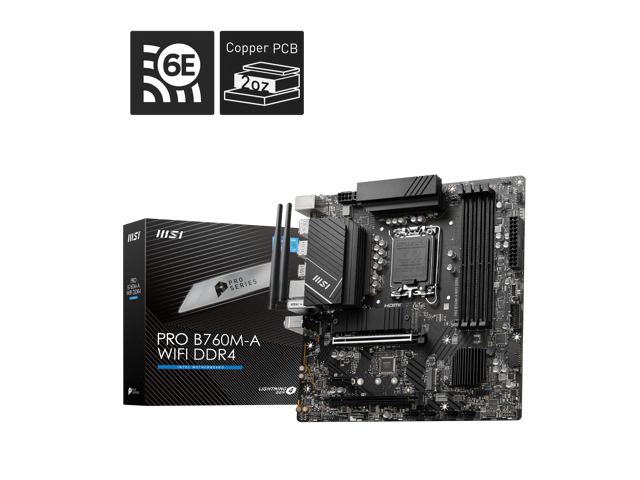
MSI PRO B760M-A WiFi DDR4
Keeps build costs down by reusing DDR4 memory while still offering WiFi 6E, 2.5GbE and two Gen4 M.2 slots. The trade-off: B760 means no CPU overclocking.
View on Amazon Read the full review ↓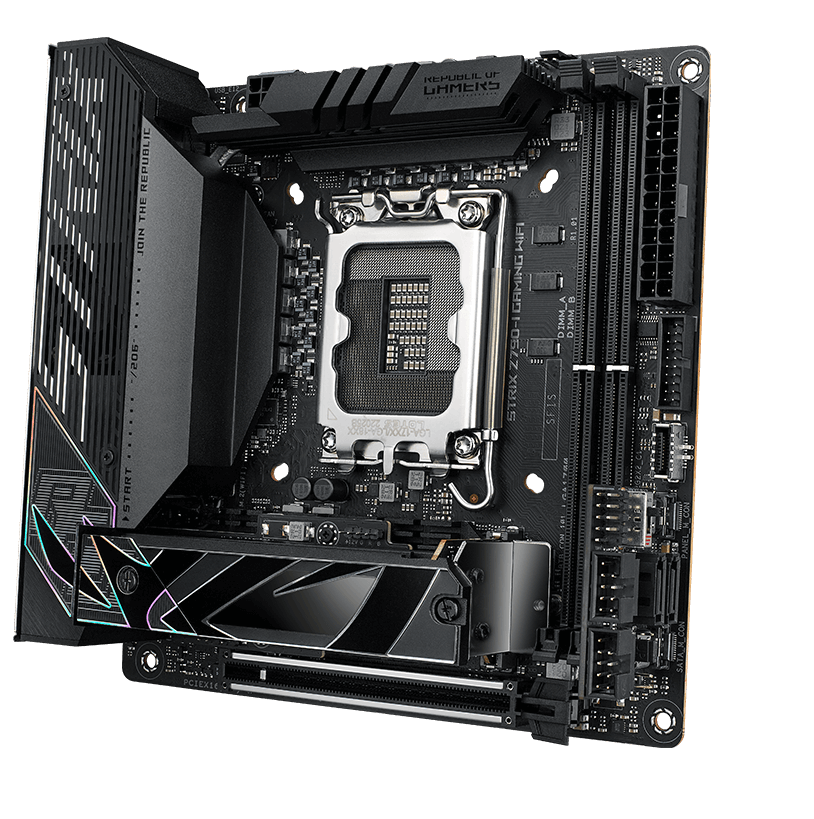
ASUS ROG Strix Z790-I Gaming WiFi
Packs 10+1+1 power stages, PCIe 5.0 and dual Thunderbolt 4 into mini-ITX. The trade-off: two DIMM slots and limited expansion, as with any ITX board.
View on Amazon Read the full review ↓The shortlist
Compare all 10 at a glance
Chipset, memory standard and form factor decide most of this choice, so the table flags the best fit and the one check that matters for each board.
| Product / award | Best fit | Key decision point | Check current offer |
|---|---|---|---|
| 01. MSI MAG Z790 Tomahawk WiFiBest overall | High-end gaming or work builds around a Core i7 or i9 | 16+1+1 phase power and four M.2 slots, but DDR5 memory only | View on Amazon |
| 02. MSI PRO B760M-A WiFi DDR4Best value | Reusing a DDR4 kit in a compact micro-ATX build | WiFi 6E and 2.5GbE at a value tier, but no CPU overclocking on B760 | View on Amazon |
| 03. ASUS ROG Strix Z790-I Gaming WiFiBest compact option | A small-form-factor gaming PC with a fast graphics card | PCIe 5.0 and Thunderbolt 4 in ITX size, but only two DIMM slots | View on Amazon |
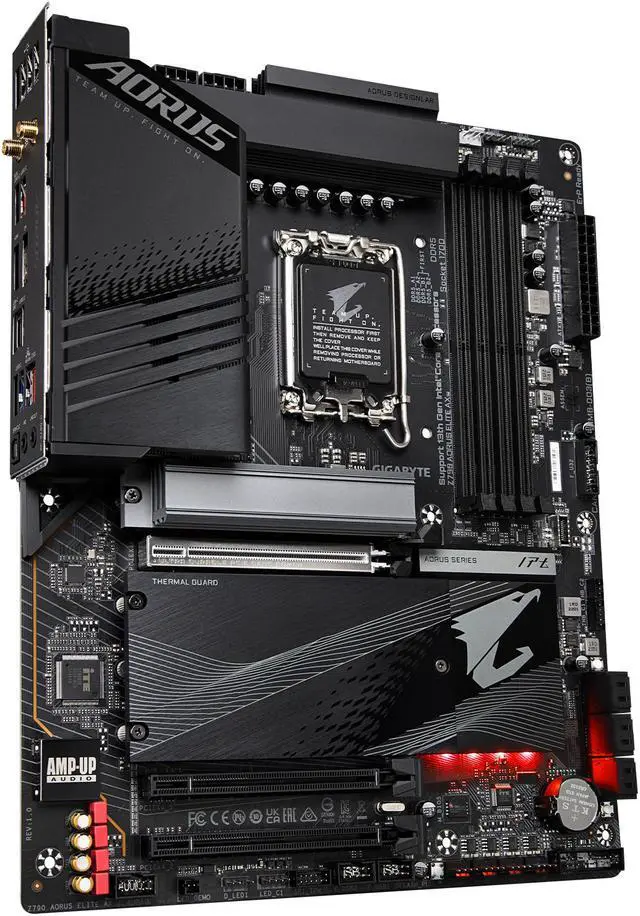 04. Gigabyte Z790 Aorus Elite AXBest for connectivity 04. Gigabyte Z790 Aorus Elite AXBest for connectivity | A connected ATX build with lots of storage and peripherals | Twin 16+1+2 power and 20Gbps rear USB-C, but no PCIe 5.0 M.2 slot | View on Amazon |
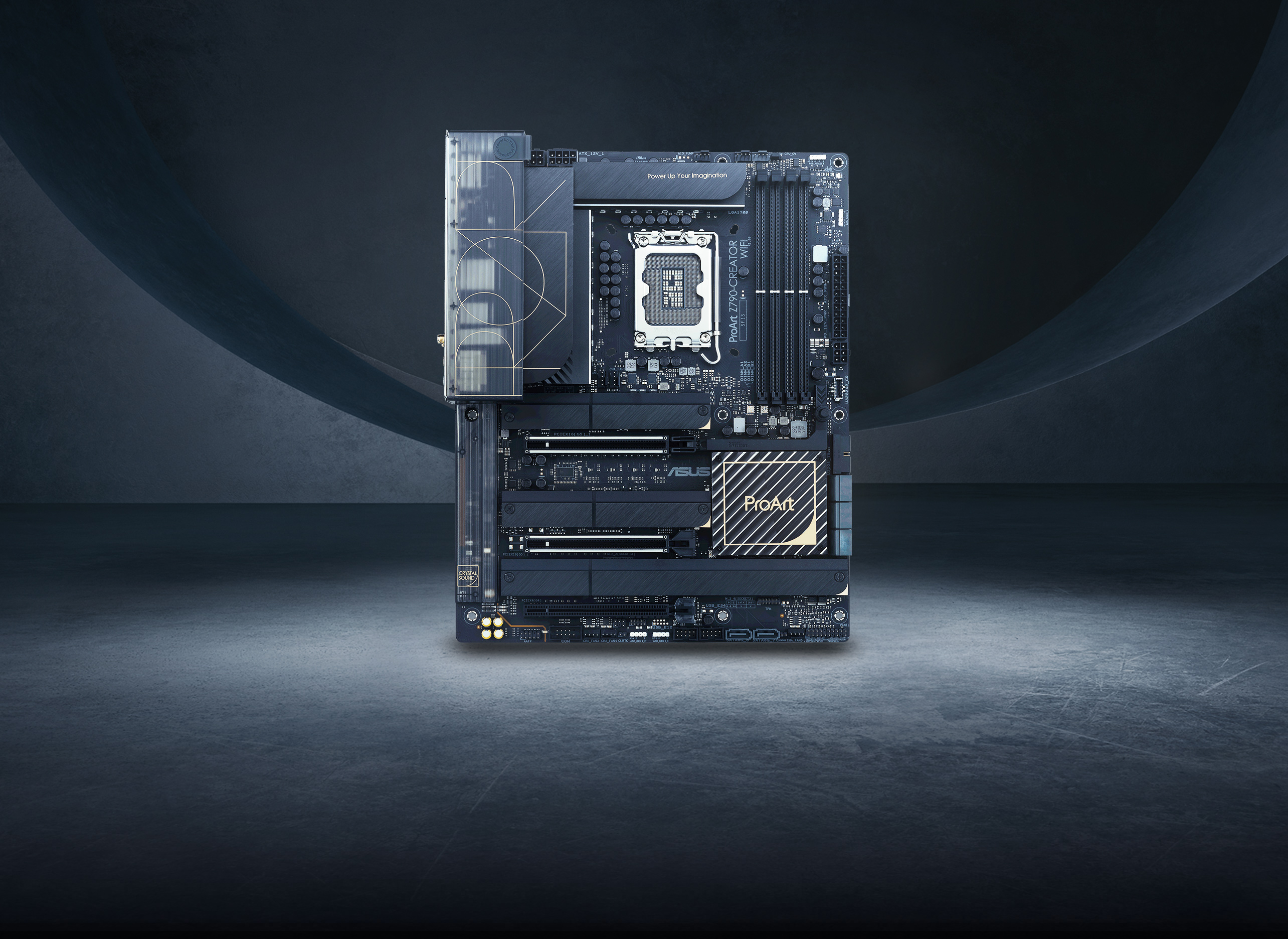 05. ASUS ProArt Z790-Creator WiFiBest for creators 05. ASUS ProArt Z790-Creator WiFiBest for creators | Video editing, 3D work and studio workstations | 10GbE and Thunderbolt 4 with DisplayPort input, but a creator-focused premium feature set | View on Amazon |
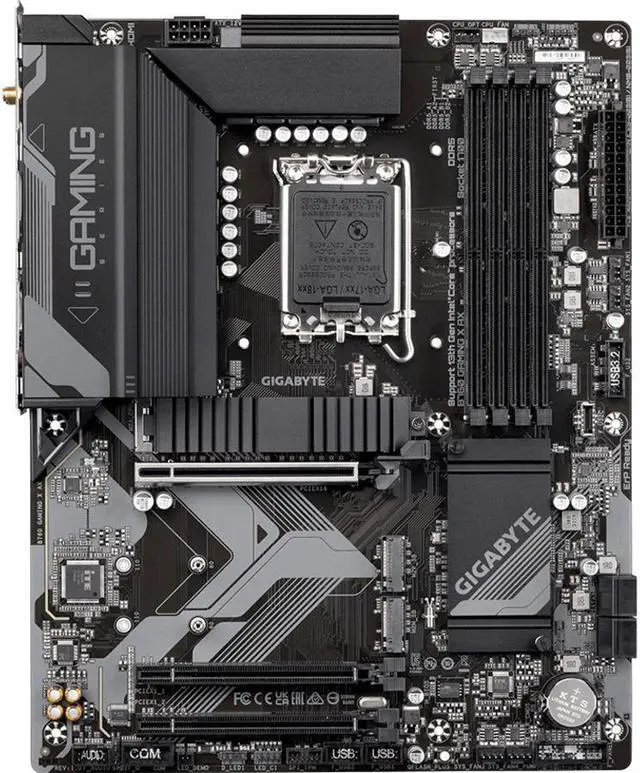 06. Gigabyte B760 Gaming X AXBest for easy setup 06. Gigabyte B760 Gaming X AXBest for easy setup | A first ATX gaming build that should go together easily | Q-Flash Plus and EZ-Latch simplify setup, but the graphics slot is PCIe 4.0 | View on Amazon |
| Storage-heavy gaming builds with room to grow | Five M.2 slots including PCIe 5.0, but the GPU drops to x8 with a Gen5 SSD fitted | View on Amazon | |
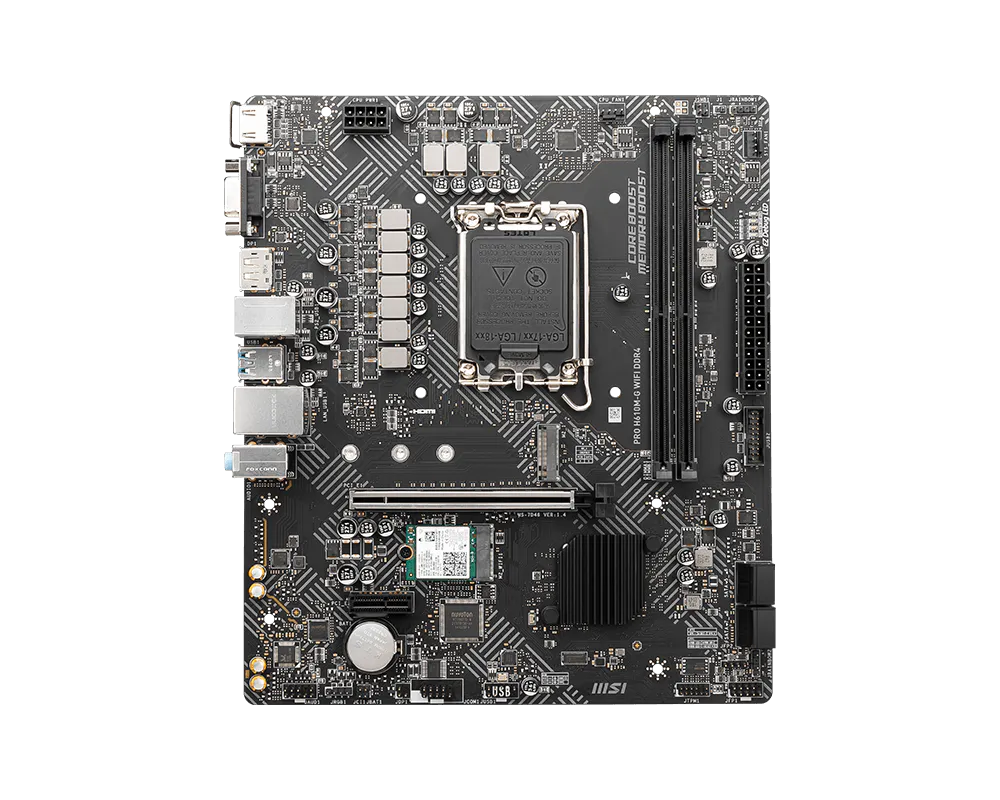 08. MSI PRO H610M-G WiFiBest budget option 08. MSI PRO H610M-G WiFiBest budget option | Everyday, office and entry-level gaming PCs | WiFi 6E included at the lowest tier, but one Gen3 M.2 slot and two DIMM slots | View on Amazon |
| Flagship Core i9 builds and serious overclocking | 20+1 power stages and Thunderbolt 4, but two of the five M.2 slots ride on an add-in card | View on Amazon | |
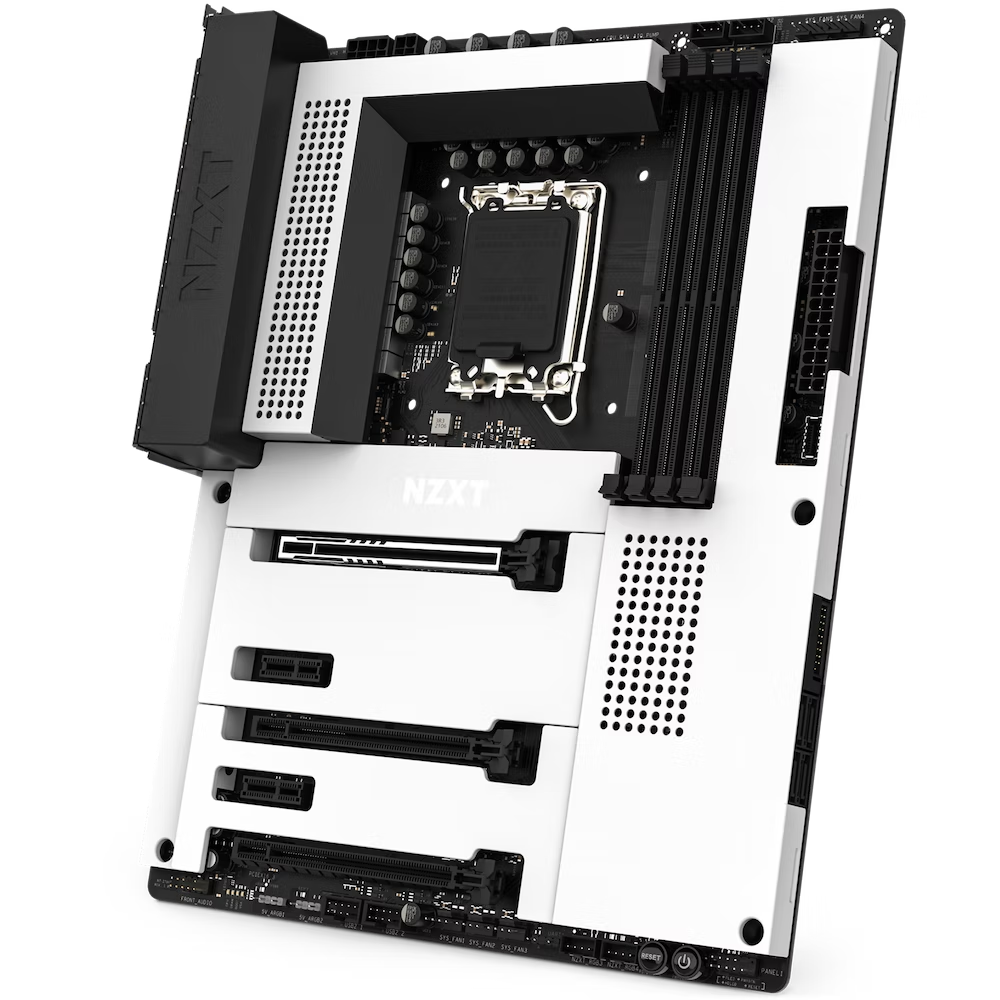 10. NZXT N7 Z790Best alternative 10. NZXT N7 Z790Best alternative | Clean white builds managed through NZXT CAM | Full metal cover hides the PCB, but storage tops out at three M.2 slots | View on Amazon |
Look closer
Our 10 picks, explained
Selections are based on manufacturer specifications checked model by model, chipset and lane documentation, and how each board’s feature set compares within its tier. This is desk research, not hands-on testing, and the methodology section below explains exactly what we checked.
MSI MAG Z790 Tomahawk WiFi
Most Z790 buyers want one board that handles a Core i9 today and still feels current in three years, and the Tomahawk covers that brief without flagship pricing tricks. MSI pairs a 16+1+1 Duet Rail power design with 90A smart power stages and dual 8-pin CPU connectors, so sustained boost clocks on a 13900K or 14900K are a cooling question, not a board limitation. Four PCIe 4.0 M.2 slots and seven SATA ports give storage room that B760 boards cannot match, while the PCIe 5.0 x16 slot keeps the GPU path ready for next-generation cards. Against the Gigabyte Z790 Aorus Elite AX below, you trade a little VRM headline spec for MSI’s cleaner BIOS and EZ M.2 clips, a swap many builders will happily make.
- Power design
- 16+1+1 phases, 90A SPS
- Memory
- 4x DDR5, up to 7200+ (OC)
- Storage
- 4x M.2 PCIe 4.0, 7x SATA
Reasons to choose it
- 90A power stages handle flagship CPUs with headroom
- Four M.2 slots plus a PCIe 5.0 graphics slot
- WiFi 6E, 2.5GbE and 20Gbps USB-C on board
Trade-offs to know
- DDR5 only, so existing DDR4 memory cannot be reused
- No PCIe 5.0 M.2 slot for next-gen SSDs
Choose this if: you are building a high-end gaming or mixed work PC around a Core i7 or i9 and want one board that needs no compromises on power, storage or networking.
Consider another option if: you want to reuse a DDR4 memory kit. The MSI PRO B760M-A WiFi DDR4 keeps the modern networking in a cheaper DDR4 package.
MSI PRO B760M-A WiFi DDR4
DDR5 prices have settled, but a quality 32GB DDR4 kit you already own is still free performance, and this board is built exactly for that scenario. MSI keeps the essentials strong: four DDR4 slots rated to 5333 (OC), a PCIe 4.0 x16 slot ready for heavy graphics cards, and two PCIe 4.0 M.2 slots for fast NVMe storage. Networking is a tier above most budget boards, with Intel WiFi 6E and a Realtek 2.5GbE controller, and the twin HDMI and DisplayPort outputs suit office or streaming PCs using integrated graphics. Compared with the Gigabyte B760 Gaming X AX further down, you give up ATX expansion room and a third M.2 slot, but gain the DDR4 savings that define this build.
- Memory
- 4x DDR4, up to 5333 (OC)
- Storage
- 2x M.2 PCIe 4.0 x4
- Networking
- WiFi 6E and 2.5GbE LAN
Reasons to choose it
- Reuses existing DDR4 memory and supports up to 128GB
- WiFi 6E and 2.5GbE are rare at this tier
- Two HDMI and two DisplayPort outputs for iGPU builds
Trade-offs to know
- B760 chipset locks CPU multiplier overclocking
- Only two M.2 slots for storage expansion
Choose this if: you are upgrading around an existing DDR4 kit and a Core i5 or i7, and want modern networking without paying for Z790 features you will not use.
Consider another option if: you plan to overclock a K-series CPU or need more storage. The MSI MAG Z790 Tomahawk WiFi adds Z790 tuning and four M.2 slots.
ASUS ROG Strix Z790-I Gaming WiFi
Small cases usually force big sacrifices, but the Strix Z790-I is engineered like a flagship that shrank. Its 10+1+1 power stages feed K-series chips properly, memory support reaches 7600 (OC) across two slots, and the stacked M.2 heatsink assembly keeps a PCIe 5.0 SSD cool in tight airflow. The bundled ROG Strix Hive moves audio, a volume dial, BIOS FlashBack and diagnostic LEDs onto the desk, which solves the usual ITX problem of unreachable headers, while the FPS-II card adds the SATA ports the board itself lacks. Versus a micro-ATX build on the PRO B760M-A above, you pay more and lose DIMM slots, but gain Z790 overclocking, Thunderbolt 4 and a far smaller footprint.
- Form factor
- Mini-ITX, 17 x 17cm
- Power design
- 10+1+1 power stages
- Memory
- 2x DDR5, up to 7600 (OC)
Reasons to choose it
- Flagship power delivery and memory speeds in ITX size
- Dual Thunderbolt 4 plus WiFi 6E and 2.5GbE
- ROG Hive puts audio and controls on the desk
Trade-offs to know
- Two DIMM slots cap memory at 96GB
- Running a PCIe 5.0 SSD drops the GPU slot to x8 mode
Choose this if: you are building a compact gaming PC with a Core i7 or i9 and want flagship features without moving up to a larger case.
Consider another option if: you need four DIMM slots or multiple expansion cards. The ASUS ROG Strix Z790-E Gaming WiFi offers the same ROG formula in full ATX size.
Gigabyte Z790 Aorus Elite AX
The Elite AX sits in the Z790 sweet spot where money goes into copper and ports instead of lighting. Gigabyte’s twin 16+1+2 digital VRM uses 90A smart power stages on a 6-layer 2X copper PCB, which is more power hardware than most buyers will ever stress, and the fully covered MOSFET heatsinks with a 6mm heatpipe keep it composed under sustained loads. Four M.2 slots wear Thermal Guard heatsinks, the PCIe slot and M.2 connectors use EZ-Latch quick releases, and Q-Flash Plus updates the BIOS without a CPU installed. Compared with the MSI Tomahawk at the top of this list, the Elite AX counters with a stronger on-paper VRM and a front USB-C header rated at 10Gbps, though MSI answers with one extra SATA port and its EZ M.2 clips.
- Power design
- Twin 16+1+2 phases, 90A stages
- Storage
- 4x M.2 PCIe 4.0 x4
- USB
- 20Gbps rear Type-C, 10Gbps front Type-C
Reasons to choose it
- 90A twin VRM rivals boards in the flagship tier
- Four heatsinked M.2 slots plus six SATA ports
- Q-Flash Plus and EZ-Latch speed up building and upgrades
Trade-offs to know
- No PCIe 5.0 M.2 slot for next-generation SSDs
- WiFi module varies by board revision (AX211 or Realtek)
Choose this if: you want a well-cooled ATX foundation for a Core i7 or i9 with lots of drives, fast USB-C and strong networking, without flagship tier pricing.
Consider another option if: you want a PCIe 5.0 SSD in the build. The ASUS ROG Strix Z790-E Gaming WiFi adds a Gen5 M.2 slot and a fifth slot overall.
ASUS ProArt Z790-Creator WiFi
Creator builds bottleneck on moving footage, not on frame rates, and the ProArt is wired accordingly. Two Thunderbolt 4 ports accept a DisplayPort feed from your graphics card, so a single cable can drive a color-accurate monitor or dock, while the Marvell 10GbE port pulls projects from a NAS at full speed and the Intel 2.5GbE port handles the everyday network. Power delivery is a 16+1+2 stage design rated at 70A per stage, four M.2 slots and eight SATA ports cover scratch disks and archives, and the front-panel USB-C header supports 60W fast charging for tablets and pen displays. Against the Maximus Hero below, you trade gaming extras like a Q-Code display for genuinely useful studio I/O.
- Networking
- 10GbE + 2.5GbE + WiFi 6E
- Ports
- 2x Thunderbolt 4 with DisplayPort input
- Storage
- 4x M.2 PCIe 4.0, 8x SATA
Reasons to choose it
- 10GbE makes NAS based editing and backups fast
- Thunderbolt 4 carries GPU output to pro monitors and docks
- Eight SATA ports suit large local archives
Trade-offs to know
- Creator features add cost a gaming build cannot use
- M.2_4 shares bandwidth with four SATA ports
Choose this if: you edit video, render 3D or work with large photo libraries, especially with a NAS on the network and Thunderbolt displays or docks on the desk.
Consider another option if: your build is purely for gaming. The MSI MAG Z790 Tomahawk WiFi keeps the strong power design and drops the studio extras.
Gigabyte B760 Gaming X AX
First builds fail on small frustrations, and this board removes most of them. The integrated I/O shield cannot be forgotten, the PCIe EZ-Latch lets you release a graphics card without reaching past it with a screwdriver, and Q-Flash Plus can update the BIOS from a USB stick before the CPU even goes in, which matters when a 14th Gen chip needs newer firmware. Underneath, an 8+1+1 hybrid digital VRM with proper heatsinks handles Core i5 and i7 chips at stock settings, DDR5 support runs to 7600 (OC), and three M.2 slots cover storage growth. Next to the MSI PRO B760M-A above, this is the DDR5 route: you lose the DDR4 savings, but gain ATX room, an extra M.2 slot and an easier build day.
- Power design
- 8+1+1 hybrid digital VRM
- Memory
- 4x DDR5, up to 7600 (OC)
- Storage
- 3x M.2 PCIe 4.0 x4
Reasons to choose it
- Q-Flash Plus allows BIOS updates without a CPU
- EZ-Latch and an integrated I/O shield simplify assembly
- Three M.2 slots and WiFi 6E at a mid-range tier
Trade-offs to know
- Graphics slot is PCIe 4.0, not 5.0
- B760 locks CPU overclocking for K-series chips
Choose this if: this is your first build, or you want a stress-free ATX gaming PC around a Core i5 or i7 with DDR5 and room to add drives later.
Consider another option if: you already own DDR4 memory worth keeping. The MSI PRO B760M-A WiFi DDR4 trades ATX size for real memory savings.
ASUS ROG Strix Z790-E Gaming WiFi
Game libraries keep growing, and the Strix Z790-E is the board here that never asks you to delete anything. Five M.2 slots, one of them PCIe 5.0 ready, all sit under heatsinks, and the 18+1 power stages with dual 8-pin connectors run a Core i9 without drama. Memory tuning is a strength too, with official support to 7800 (OC) and a mature BIOS for manual tuning. The catch is printed in the manual: populate the Gen5 M.2 slot and the GPU slot falls to x8, which costs little on current graphics cards but should be a deliberate choice. Versus the Maximus Hero at the premium end, you keep the five-slot storage story and lose Thunderbolt 4 and the extra power stages.
- Storage
- 5x M.2 (1x PCIe 5.0, 4x PCIe 4.0)
- Power design
- 18+1 power stages
- Memory
- 4x DDR5, up to 7800+ (OC)
Reasons to choose it
- Five M.2 slots, the most storage on this list
- Strong 18+1 power design for Core i9 chips
- PCIe Slot Q-Release makes big GPUs easy to remove
Trade-offs to know
- Gen5 M.2 slot shares lanes with the GPU slot
- No Thunderbolt 4 ports at this tier
Choose this if: you run several NVMe drives for games, media or virtual machines and want a board that will not run out of storage slots.
Consider another option if: you want Thunderbolt 4 and the strongest power delivery ASUS offers. The ASUS ROG Maximus Z790 Hero is the step up.
MSI PRO H610M-G WiFi
Not every PC needs overclocking headroom, and the H610M-G WiFi is honest about its job: run a Core i3 or i5, a modest graphics card and one fast-enough SSD, quietly and cheaply. It still gets the details right for 2026, with WiFi 6E and Bluetooth 5.3 built in, DDR5 memory at JEDEC 5600 speeds, and HDMI 2.1, DisplayPort 1.4 and VGA outputs that cover everything from a new 4K monitor to a spare old panel. Storage is the hard ceiling: one M.2 slot at PCIe 3.0 speeds plus four SATA ports, and only two fan headers onboard, so plan on a splitter for multi-fan cases. As a step up, the PRO B760M-A above doubles the M.2 count, adds 2.5GbE and supports faster memory.
- Memory
- 2x DDR5, up to 96GB at 5600
- Storage
- 1x M.2 PCIe 3.0 x4, 4x SATA
- Display outputs
- HDMI 2.1, DisplayPort 1.4, VGA
Reasons to choose it
- WiFi 6E and Bluetooth 5.3 included at the lowest tier
- DDR5 platform keeps the build current
- VGA output supports older monitors without adapters
Trade-offs to know
- Single M.2 slot runs at PCIe 3.0 speeds
- Only two fan headers and two DIMM slots
Choose this if: you are building an everyday, office or starter gaming PC around a Core i3 or i5 and want wireless networking included from day one.
Consider another option if: you expect to add drives or a stronger CPU later. The MSI PRO B760M-A WiFi DDR4 and the Gigabyte B760 Gaming X AX both add storage and headroom.
ASUS ROG Maximus Z790 Hero
The Hero is the board ASUS builds to show what Z790 can do, and the spec sheet backs it up. A 20+1 power solution with ProCool II connectors feeds overclocked Core i9 chips, the SupremeFX ALC4082 audio with an ESS quad DAC is the best onboard sound in this roundup, and Q-Code diagnostics plus onboard start and retry buttons make it a genuine bench-friendly platform. Storage reaches five M.2 slots when the ROG Hyper M.2 card is installed in a PCIe slot, one of them PCIe 5.0 capable. For most buyers the Tomahawk at rank one delivers the same daily experience for less, but if you overclock for fun, run custom water cooling or want Thunderbolt 4 without a creator board, this is the one.
- Power design
- 20+1 power stages
- Memory
- 4x DDR5, up to 7800+ (OC)
- Storage
- 5x M.2 (3 onboard + Hyper M.2 card)
Reasons to choose it
- Strongest power delivery and tuning tools on this list
- Thunderbolt 4 and front USB-C with 60W charging
- Q-Code display and onboard buttons aid troubleshooting
Trade-offs to know
- Two of five M.2 slots need the add-in card
- Premium tier features many builds will not use
Choose this if: you are building a flagship Core i9 system, plan to overclock, or want a board that can anchor several upgrades over many years.
Consider another option if: you want flagship power without the flagship extras. The MSI MAG Z790 Tomahawk WiFi covers the same CPUs with a simpler feature set.
NZXT N7 Z790
Most motherboards look like circuit boards because they are, but the N7 Z790 covers nearly everything with a matte white metal shroud, which makes it the foundation of choice for clean white builds in NZXT’s H7 cases and similar. Under the cover it is a proper Z790 board: a 16+1+2 DrMOS power design, four DDR5 slots with XMP 3.0, a PCIe 5.0 x16 slot and WiFi 6E with 2.5GbE wired networking. NZXT CAM controls seven fan channels and six RGB channels, and the integrated rear I/O shield plus onboard power and reset buttons make assembly tidy. Against the Tomahawk, you trade one M.2 slot and the extra SATA ports for the cleanest look in this roundup, which for a showcase build is the entire point.
- Power design
- 16+1+2 DrMOS
- Design
- Full white metal cover, integrated I/O shield
- Control
- NZXT CAM, 7 fan and 6 RGB channels
Reasons to choose it
- Full cover delivers the cleanest white build look here
- CAM unifies fan and lighting control in one app
- Integrated I/O shield and onboard buttons ease assembly
Trade-offs to know
- Three M.2 slots is below the Z790 average here
- CAM software is required for full lighting control
Choose this if: you are planning a white showcase build and want the motherboard to disappear behind a clean cover while keeping real Z790 performance.
Consider another option if: you prefer a conventional exposed board with more storage. The MSI MAG Z790 Tomahawk WiFi adds a fourth M.2 slot and more SATA ports.
Buy with confidence
How to choose the right motherboard
Four checks, in the order below, will point you to the right board from this list.
01. Confirm CPU support
All ten boards share the LGA1700 socket and accept 12th, 13th and 14th Gen Core processors, but the BIOS version matters. A board manufactured before 14th Gen launched may need a firmware update before a 14900K will boot, so check the manufacturer’s CPU support list for your exact model and revision, and note the minimum BIOS version listed for your chip. Boards with a BIOS flash button, such as Q-Flash Plus or Flash BIOS, can be updated without a working CPU installed.
02. Match your case and display
Form factor decides what fits: ATX boards need a mid tower or larger with ATX standoffs, micro-ATX suits compact cases, and mini-ITX is for small-form-factor builds with a single expansion slot. Then check display outputs if you plan to use integrated graphics or a backup display path. Most boards here offer HDMI and DisplayPort, the MSI PRO H610M-G WiFi adds VGA for older monitors, and Thunderbolt 4 boards can drive displays over USB-C.
03. Prioritize useful connections
Count what you will actually plug in. Storage first: one M.2 slot is enough for a single-drive PC, while game libraries and media work justify four or five. For networking, WiFi 6E and 2.5GbE are the modern baseline in this list, 10GbE only matters with a fast NAS, and Thunderbolt 4 earns its place with docks and fast external drives. Browse our head-to-head motherboard comparisons if you are torn between two finalists.
04. Budget for the whole build
The board should not eat the budget that belongs to the GPU, memory and storage. Decide your memory standard first, because a DDR4 board like the PRO B760M-A can save the cost of a new kit, while DDR5 boards pair with faster kits you may keep for years. Spend more only for features you will use: stronger power delivery for a Core i9, extra M.2 slots for growing storage, or creator ports for studio work. Our full buying guides library covers the rest of the parts list.
Behind the recommendations
How we selected these products
This guide is based on desk research, not hands-on testing. We reviewed the LGA1700 ranges from MSI, ASUS, Gigabyte and NZXT, checked every shortlisted board’s specifications against the manufacturer’s own product and specification pages in October 2026, and cross-checked chipset capabilities against Intel documentation. Amazon listings were used only to confirm exact retail model names, never for specifications.
- Compatibility: Socket, chipset, CPU support and memory standard verified against each manufacturer’s specification page and CPU support list for the exact model named.
- Features and value: Boards were compared within their chipset tier on verified specifications: power design, M.2 and SATA counts, networking, USB speeds and form factor, so a B760 board is judged against B760 rivals rather than flagships.
- Limitations: We did not independently benchmark VRM temperatures, memory overclocking ceilings or audio quality. Where manufacturers rate memory speeds as overclocked values, real results depend on the CPU and memory kit used.
Common questions
Before you buy
How do I check whether a motherboard supports my Intel CPU?
Open the manufacturer’s support page for the exact board model and revision, then find your processor in the CPU support list. The list shows the minimum BIOS version the chip needs. If your board ships with older firmware, update it before swapping CPUs, or choose a board with a USB BIOS flash feature that works without a CPU installed, such as Gigabyte Q-Flash Plus, MSI Flash BIOS or ASUS BIOS FlashBack.
What should I check if I plan to use integrated graphics?
First, check the CPU itself: Intel F-series processors have no integrated graphics, so the board’s display outputs stay dark with one fitted. With a standard Core chip, match the board’s outputs to your monitor. HDMI 2.1 and DisplayPort cover modern 4K displays, the ProArt and Strix Z790-I can drive displays through Thunderbolt 4, and the MSI PRO H610M-G WiFi even keeps a VGA port for older panels.
Which features are worth paying extra for?
Power delivery is worth it if you run a Core i7 or i9, because stronger VRM designs sustain boost clocks under long loads. Extra M.2 slots pay off for growing game libraries and media work. WiFi 6E and 2.5GbE are sensible future-proofing for most homes. Thunderbolt 4 and 10GbE only earn their premium with docks, fast external storage or a NAS, so skip them if your desk and network are simpler.
How do I choose between the top overall and budget picks?
The MSI MAG Z790 Tomahawk WiFi and MSI PRO H610M-G WiFi sit at opposite ends of this list. The Tomahawk adds Z790 overclocking, a 16+1+1 phase power design, four fast M.2 slots and PCIe 5.0 for the graphics card, which suits a Core i7 or i9 build you plan to upgrade. The H610M-G covers an everyday Core i3 or i5 PC with DDR5 and WiFi 6E, but its single Gen3 M.2 slot and two DIMM slots cap future growth.
Choose the best fit for your build
Start with the MSI MAG Z790 Tomahawk WiFi for most high-end builds: it balances power delivery, storage and networking better than anything else here. Choose the MSI PRO B760M-A WiFi DDR4 when reusing DDR4 memory matters more, and always confirm the BIOS version your CPU needs before ordering.
Sources and verification
Specifications and claims in this guide were checked against the following sources, consulted in October 2026.
- MSI official product and specification pages for the MAG Z790 Tomahawk WiFi, PRO B760M-A WiFi DDR4 and PRO H610M-G WiFi
- ASUS and ROG official product, specification and gallery pages for the ROG Strix Z790-I Gaming WiFi, ROG Strix Z790-E Gaming WiFi, ROG Maximus Z790 Hero and ProArt Z790-Creator WiFi
- Gigabyte official product and specification pages for the Z790 Aorus Elite AX and B760 Gaming X AX
- NZXT official product page for the N7 Z790
- Intel ARK processor and chipset documentation for LGA1700 platform capabilities